End-to-end encryption
Messages are encrypted on your device and decrypted only on the recipient; your data stays yours.
End-to-end encrypted
Lock is end-to-end encrypted chat for teams who have nothing to hide and everything to protect. Every message sealed on your device, readable only by your team.
Product walkthrough / Four quick steps
Follow a small team from their first invite to sharing the next project update. Open each step to see how Lock fits into the workday.
Actual web app screenshots · Demo workspace and example content, not a live workspace
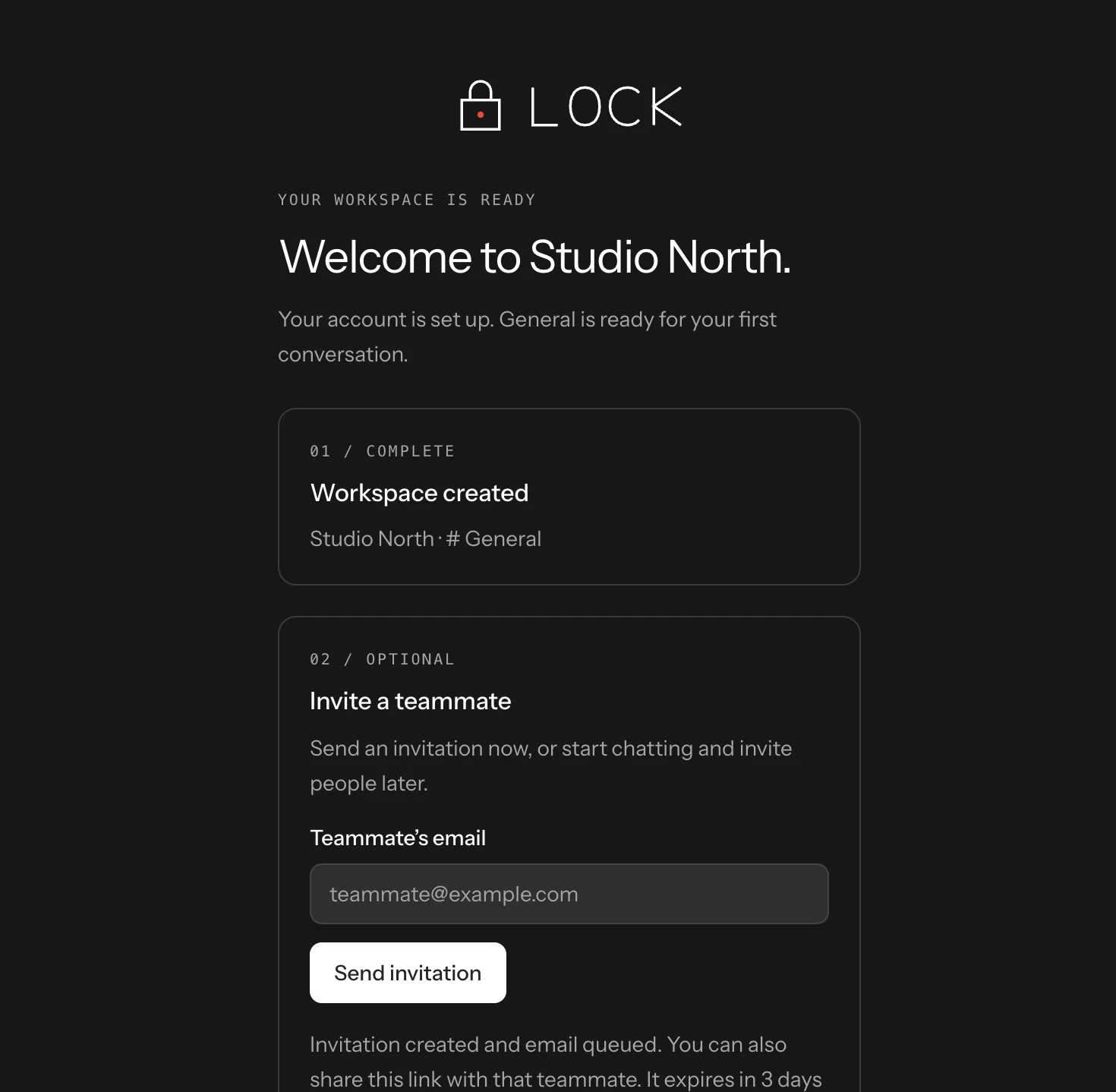
Name your workspace during signup. General is ready automatically, and the next screen lets you invite a teammate or go straight to your first message.
No setup detour before the conversation.
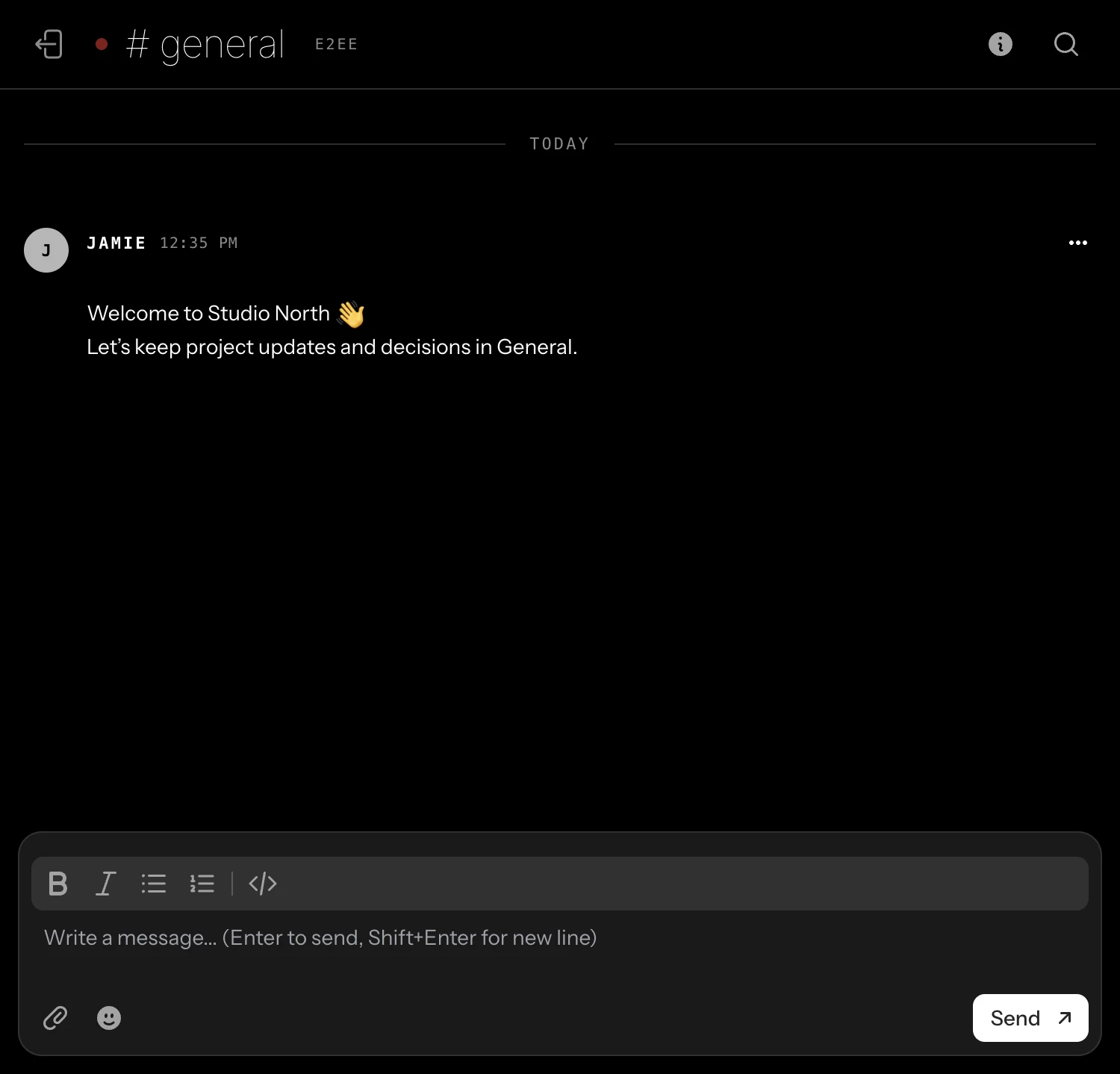
Post a rich-text message in a channel or send a private DM. Live delivery, online presence, and unread badges help teammates pick up the conversation.
Decisions stay with the people doing the work.
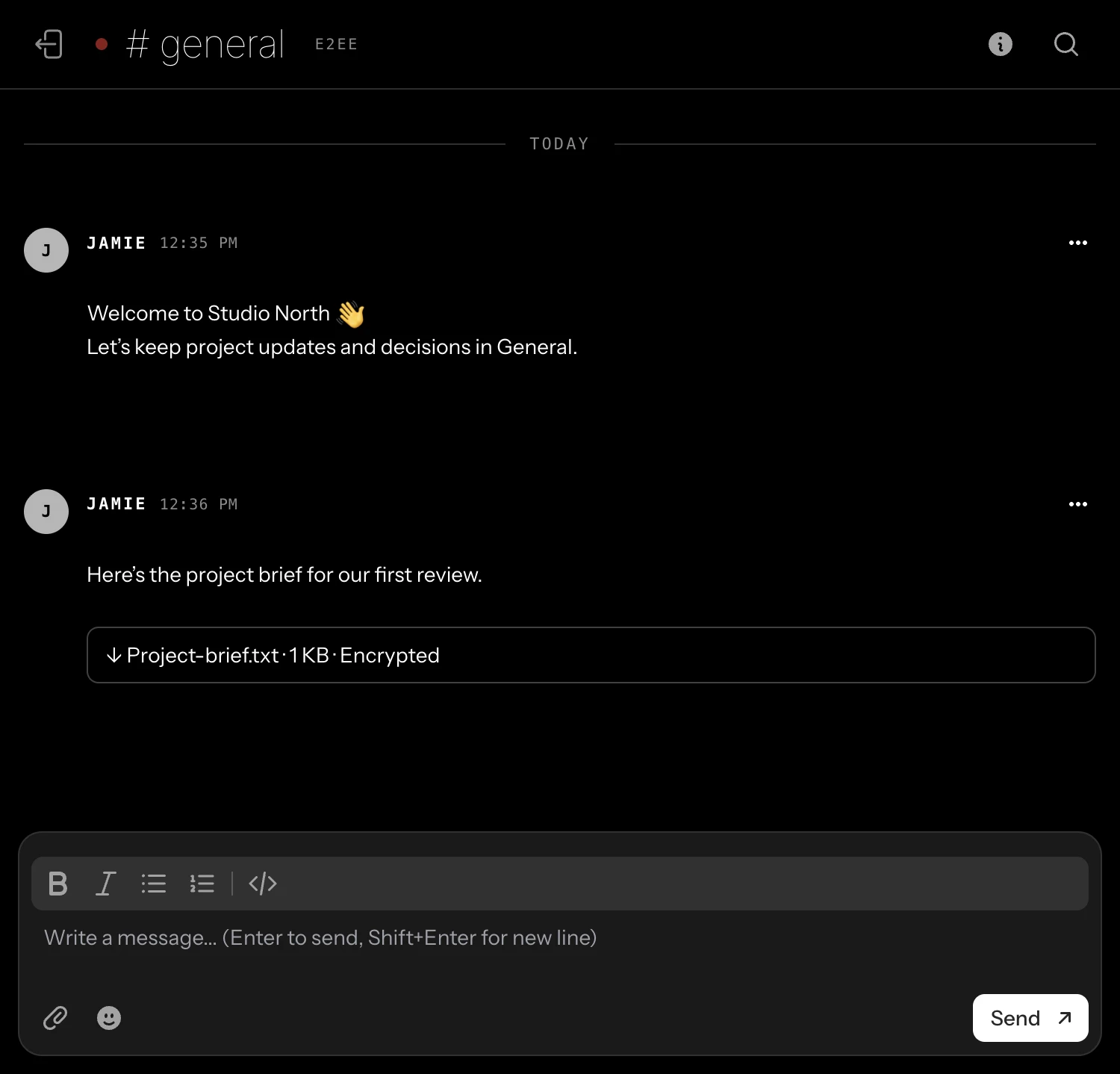
Attach a document or image to your message. Files are encrypted on your device before upload, so the attachment stays private alongside the conversation.
Less hunting through inboxes for the right file.
Use Lock on macOS, iPhone, or the web. Keep your team’s channels, direct messages, and encrypted files close wherever you work.
One workspace. More ways to stay connected.
Explore the appsA focused native desktop workspace.
Your conversations when you step away.
Open Lock directly in your browser.
01 — Features
Messages are encrypted on your device and decrypted only on the recipient; your data stays yours.
Instant delivery over WebSockets. Encrypted does not mean slow.
Channels, DMs, and roles organized in one secure place.
Pro-only voice calls between two team members. Encrypted WebRTC transport, in beta—not group calls.
Encryption keys live on your device. Our servers never hold your private keys.
Documents and files sealed in transit and at rest.
Passkeys, TOTP, and security-key support by default.
Calls are an early beta: chat-key possession checks run automatically with no code comparison. First-use trust depends on server-delivered keys; changed remembered keys block calls. Cross-network relay calling still needs live validation. Pro-only access is not yet enforced. Explore direct team calls.
macOS / iPhone / Web
A native macOS app for your Lock conversations. Keep channels, direct messages, and encrypted files close — without keeping a browser tab open.
Also on iPhone and the web. Take Lock with you, or open it in your browser — private team messaging wherever you work.
Messages and attachments encrypted on your device.
Live messages, online presence, and unread badges in your sidebar and Dock.
Rich-text messages, emoji, and optional message sounds. All in a focused desktop workspace.
Your device generates an encryption key pair. The service stores the public key and an encrypted private-key backup for recovery. How that backup is protected matters.
Message bodies and new attachments are encrypted on your device. Recipients decrypt them using their keys; account details and conversation metadata are not hidden.
Content encryption is not a blanket guarantee. Password-based recovery, server-delivered keys and unlocked devices have limits. No independent security audit is published here.
Read the security details and reproducible attachment evidence ↗
03 — What we hold
New message bodies and attachments reach storage as ciphertext. Recovery and authentication have important trust boundaries; encryption does not hide all account and conversation metadata.
New message bodies and attachments are stored as ciphertext. Older public web uploads were not encrypted and are not retroactively protected by this update.
Your device uses the private key; the server holds an encrypted backup. The account password also unlocks that backup, so the authentication server remains part of the trust boundary.
Review the attachment protocol, public test vector and CryptoKit verifier. These demonstrate format compatibility, not an independent audit or customer endorsement.
04 — Process
Name your team and invite your people. Encryption is on from the first message.
Chat and share files in real time. Every exchange is sealed end-to-end.
Manage invitations and membership. Know the recovery limits before your team relies on encrypted history.
Encrypted by default. Simple per-user pricing. Built for teams who take privacy seriously.
Get started